Is OpenClaw Safe for Business? Real Risks and When Not to Use It
OpenClaw is not safe for business use by default, and it should not touch customer data, accounting, payroll, or login credentials at all. It can be a reasonable experiment on an isolated machine, with no business credentials, run by one person who will keep it updated. That is the honest short answer, and it comes from OpenClaw’s own documentation, its public security advisories, and warnings from data protection and cybersecurity authorities, all read as of 17 October 2026.
This guide is general information, not a security audit or legal advice. It covers what the risks are, how to decide between “use”, “harden”, and “avoid”, and what to connect or never connect. The step-by-step hardening commands live in a separate security checklist.
Key Takeaways
- OpenClaw’s docs say tools run on the host machine unless you configure sandboxing, and sandboxing is off by default.
- One gateway is one trust boundary. The docs say it is “not a hostile multi-tenant security boundary”, so staff, clients, and contractors should not share one.
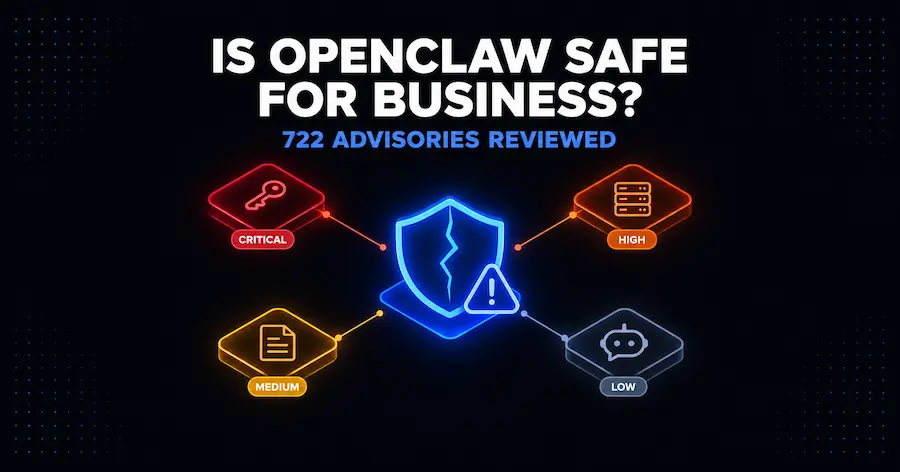
- GitHub lists 722 published security advisories for the project as of 17 October 2026, 14 of them rated critical. The project ships updates fast, so an unpatched install ages badly.
- The Dutch Data Protection Authority advises against using OpenClaw on systems with access codes, accounting, customer files, personnel data, private documents, or ID documents.
- Use the verdict table below: experiment on isolated hardware, harden before any real use, and avoid it entirely for regulated or customer data.
What OpenClaw Does and Why That Creates Risk
OpenClaw is an open-source AI agent: an assistant you run on your own computer that takes actions, not just answers. It works through chat apps such as Discord, Slack, Telegram, and WhatsApp, and it can act on your behalf: read and write files, run commands, browse the web, and send messages. According to its GitHub repository, it is MIT-licensed and stewarded by the OpenClaw Foundation, which describes itself as an independent 501(c)(3). The project states it has no paid tier, hosted service, or token.
The risk follows directly from the design. An assistant that can do things for you can also do things to you, whether because someone tricked it, a plugin misbehaved, or the setup was wrong. OpenClaw’s own threat model says so plainly: “Your AI assistant can execute arbitrary shell commands, read/write files, access network services, and send messages to anyone (if given channel access)” (OpenClaw trust model, retrieved 2026-10-17).
A word on ownership, because rumors circulate. The README says “OpenAI is a donor, not an owner”, and lists Amazon, Red Hat, and others among the Foundation’s donors. Governance is not the risk. The agent’s access is.
The Short Verdict: Use, Harden, or Avoid
Decide by what the agent can reach, not by how useful it looks in a demo.
| Verdict | When it applies | What it means in practice |
|---|---|---|
| Experiment | A spare computer or virtual machine, no business logins, only public or non-sensitive information, one trusted person using it | Reasonable for learning. Treat anything on that machine as exposed. |
| Harden first | Low-sensitivity internal tasks such as drafting, public research, or your own calendar, with a named person responsible for updates | Only after sandboxing, tool restrictions, allowlists, and a regular update routine are in place. Residual risk remains. |
| Avoid | Customer personal data, accounting or banking access, payroll or HR records, health or payment card data, confidential client files, shared use by staff or clients, or your main work computer | Do not use OpenClaw for these. Use a deterministic workflow tool instead (see the alternatives section). |
The “avoid” row is not caution for its own sake. It matches the Dutch Data Protection Authority’s guidance, quoted below.
What OpenClaw’s Own Documentation Admits
The most useful evidence is what the project itself says. Reading its security pages as a business owner, six statements matter.
1. Commands run on your computer. The README says: “Tools run on the host for the main session unless you configure sandboxing.” If you do nothing, the agent’s actions happen on the same machine as your files and logged-in accounts.
2. Sandboxing is off by default and imperfect. The sandboxing page says it is “off by default” and “not a perfect security boundary.” The Gateway process itself always stays on the host. An option called tools.elevated is described as “an explicit escape hatch that runs exec outside the sandbox” (sandboxing docs).
3. The default single-operator mode runs commands without approval prompts. The trust model says: “Trusted single-operator default: host exec on gateway/node is allowed without approval prompts (security="full", ask="off"). That is intentional UX, not a vulnerability by itself.” The project’s hardened baseline turns this around, blocking command execution by default and requiring approval when it is allowed, but you have to choose it.
4. Prompt injection is your problem to contain. The docs state that “the content itself is a threat surface, not just the sender”: a web page, email, or attachment the agent reads can carry hidden instructions. They also say adaptive attackers still beat models that score well on benchmarks, “with published success rates above 80% against state-of-the-art defenses once the attacker adapts” (prompt injection docs). The trust model lists “prompt-injection-only chains without a policy, auth, or sandbox bypass” among findings closed as no-action. The trust model’s stance is to “assume the model can be manipulated; design so manipulation can cause only limited damage”, so limiting what the agent can reach is left to you.
5. One gateway, one trust boundary. The trust model supports “a single operator or a mutually trusting team” and says OpenClaw “is not a hostile multi-tenant security boundary for mutually adversarial users sharing one agent or gateway.” It adds that anyone who can message a tool-enabled agent shares that agent’s delegated tool authority. Session tools also reach across the whole gateway by default.
6. Secrets sit in ordinary files. The secrets page says to “assume anything under ~/.openclaw/ may contain secrets or private data” and that transcripts, tool arguments, tool results, and .env reads keep their original text, including credentials. Protection comes from file permissions and full-disk encryption on the host, not from OpenClaw encrypting the files itself.
There is good news too, and it is worth stating fairly. On a regular install the Gateway listens on loopback only, gateway authentication is required by default, and unknown direct-message senders must pair before they can talk to the agent (network exposure docs). Container images behave differently and default to an exposed bind, so they need authentication added. Some earlier reports described exposed instances. Whether that applies to you depends on your version and setup, which is exactly why both matter.
The Advisory Record: 722 Published Advisories
The project publishes its security advisories on GitHub. Querying the OpenClaw security advisories on 17 October 2026 returned 722 published advisories, dated from 31 January to 11 September 2026. By GitHub severity rating: 14 critical, 249 high, 390 medium, and 69 low. Thirty-nine carry CVE identifiers.
Two cautions keep this honest. First, a large advisory count is not proof that OpenClaw is worse than other software. It can reflect heavy scrutiny, an open reporting process, and fast fixes. Treat it as a measure of patch burden: you are running software that needs frequent updates, and the latest release at the time of writing was v2026.10.4 on 16 October 2026. Second, severity labels describe the flaw, not your exposure. Whether an advisory affects you depends on your version and configuration.
Still, the critical ones are specific enough to explain why the “harden first” row exists. They include a remote code execution flaw via an approval bypass in the Gateway (GHSA-gv46-4xfq-jv58), pairing-scoped device tokens that could mint admin rights (GHSA-4jpw-hj22-2xmc), and two sandbox bypasses (GHSA-9p3r-hh9g-5cmg and GHSA-g5cg-8x5w-7jpm). Sandbox bypasses matter because sandboxing is the main containment layer the docs recommend. Check each advisory page for the patched version before relying on any release.
What Regulators and Security Researchers Say
A national regulator, a national CERT, and a security vendor all urge caution. They are not fully independent: ThaiCERT’s advisory names the Malwarebytes article as its source, so count them as two voices plus the regulator, not three.
The Dutch Data Protection Authority (Autoriteit Persoonsgegevens) published a warning on 12 February 2026. It called on users and organizations not to use OpenClaw and similar agents “op systemen met privacygevoelige of vertrouwelijke gegevens”, meaning systems with privacy-sensitive or confidential data. Its examples were access codes, accounting, customer files, personnel data, private documents, and identity documents. It also noted that organizations remain responsible for GDPR compliance, and that open-source status does not remove the duty to limit risks in advance (AP warning, in Dutch). The AP also repeated researcher findings that about a fifth of available plugins contained malware aimed at stealing credentials or crypto assets. That figure comes from third-party researchers as relayed by the regulator, so read it as an alarm signal, not a measured constant.
Malwarebytes (23 February 2026) wrote that Hudson Rock had published “the first observed case of an infostealer grabbing a complete OpenClaw configuration from an infected system,” and described impersonation campaigns by cybercriminals after the project’s renames. Its recommendations were to run the agent in an isolated virtual machine or container, give it its own least-privilege identities, and treat every skill as new code (Malwarebytes analysis).
Thailand’s national CERT (ThaiCERT) republished that analysis as an advisory on 25 February 2026, adding its own conclusion. Because OpenClaw “remains under active development and its security posture is not yet mature,” it said, “deploying it in production enterprise environments presents significant risks that must be carefully evaluated” (ThaiCERT advisory).
OpenClaw’s own threat model reaches the same conclusion about skills. It lists malicious skill installation (T-PERSIST-001) as likelihood high, impact critical, priority P0, and names a known gap: “No runtime execution sandbox isolates a skill from the agent’s own privileges once installed” (OpenClaw threat model).
The Business Risks in Plain Terms
Translated from technical findings into business consequences:
- Data leakage. Hidden instructions in an email, web page, or document can push the agent to read files, mailboxes, or calendars and send the contents elsewhere. This is the risk the Dutch authority leads with.
- Account takeover. The agent holds tokens for the services you connect. If an attacker reaches those tokens, they act as you. An infostealer taking a whole configuration, the case Hudson Rock reported, is the worst case.
- Unwanted actions. An agent that can act can also act wrongly. Malwarebytes relays a post on X from a Meta employee who works in AI safety, saying they could not stop the agent from deleting a major portion of their inbox. The detail is secondhand and unverified, but the failure mode is plausible: an agent with delete rights acting on a wrong instruction.
- Malicious add-ons. Skills and plugins are code with the agent’s privileges. A bad one can read secrets and run commands, and the project’s own threat model rates this critical.
- Exposure through setup mistakes. A gateway reachable beyond your own machine, a container with a default bind, or a weak token gives outsiders a way in. The docs say remote exposure needs authentication and a firewall, and that Gateway HTTP credentials are effectively full operator access.
- Staff and client crossover. Letting several people, or any clients, use one agent mixes their access and their data, because the docs do not support that isolation.
- Credentials in plain files. A stolen laptop or compromised account on the host exposes whatever the agent has stored.
- Compliance exposure. Under GDPR and similar rules, a leak of personal data through an agent can become a reportable breach. The responsibility stays with you, as the Dutch authority states.
- Maintenance cost. With frequent releases and hundreds of advisories, someone must apply updates and recheck settings. If nobody owns that, the install drifts into an unsafe state.
Data You Should Never Connect
Use this as a hard list. The first group comes straight from the Dutch Data Protection Authority; the second is a sensible extension for businesses.
Named by the Dutch authority:
- Access codes, passwords, and password managers
- Accounting and bookkeeping systems
- Customer files
- Personnel and HR data
- Private documents
- Identity documents and ID scans
Reasonable additions for a business:
- Banking, payment, and payroll platform logins
- Payment card data
- Health or medical information
- Confidential client or legal material under contract
- Admin accounts for your website, domain, hosting, or cloud
- Primary email and calendar accounts if you can use a separate, empty one instead
- Anything that would trigger breach notification if it leaked
If an item on this list is needed for the task, the task is not an OpenClaw task.
Who Should Not Use OpenClaw
Skip it if any of these is true:
- You handle customer personal data, regulated data, or client-confidential material and have no dedicated security help.
- Several people, contractors, or clients would share one agent.
- The only available machine is your daily work computer, which holds your logins.
- Nobody on the team is willing to own updates, permission reviews, and incident response.
- You need predictable, auditable behavior, such as invoicing or onboarding steps that must run the same way every time.
- You are not comfortable working in a terminal and reading security documentation, because several safe configurations require both.
It can suit a technically confident solo operator or a small team that wants to experiment on isolated hardware with non-sensitive tasks, accepts the residual risk, and keeps the install current.
How to Reduce the Risk
If you land in the “experiment” or “harden first” row, the principles are consistent across the official docs and the security guidance above. The exact commands and settings are in the security checklist.
- Isolate it. Use a dedicated spare machine or virtual machine, not your daily computer, and run it as a standard user rather than an administrator.
- Give it its own identities. Create separate accounts and tokens with the narrowest permissions, and never reuse your main logins.
- Restrict tools and turn on sandboxing. Start from a restricted tool profile, require approval for command execution, and add tools back one trusted agent at a time. Remember that sandboxing is not a perfect boundary.
- Control who can talk to it. Keep pairing and allowlists on, and do not open it to groups or the public.
- Keep the gateway private. Leave it bound to the local machine with authentication, and follow the exposure runbook before changing that.
- Treat skills as code. Install as few as possible, review the source, and avoid unvetted extensions.
- Update and re-audit. Apply releases promptly, and use the built-in
openclaw security auditcheck after each config change or update to catch drift. - Plan for the worst. Know how to wipe the machine and rotate every credential it touched.
These steps lower the odds and the damage. They do not turn an experimental agent into a safe place for sensitive data.
Safer Alternatives for Business Automation
Most small-business automation does not need an agent that decides its own steps. Repeatable jobs such as syncing leads, sending invoices, or posting updates are better served by workflow tools where you define each step and can inspect every run. That design limits the damage from a manipulated or confused system, because the tool only does what the workflow says.
Our guide to n8n, Make, and Zapier compares costs, and the self-hosted workflow automation tools roundup covers options you can run yourself, with their own maintenance and security duties. If you do want an AI agent in the loop, the guide to agentic workflows explains where one fits, and how AI agents can transform small business efficiency covers lower-risk uses. For a direct comparison, see OpenClaw vs n8n for business automation.
Frequently Asked Questions
Is OpenClaw safe to use?
Not by default for business use. The project’s own documentation says tools run on the host unless you configure sandboxing, and sandboxing is off by default. It can be used with reasonable care on isolated hardware for non-sensitive tasks, which is a narrower claim than “safe.”
Is OpenClaw dangerous?
It is a powerful tool with broad access, and that is the danger. The Dutch Data Protection Authority advised against using it on systems with sensitive or confidential data (AP, 12 February 2026). Danger depends on what it can reach and how it is set up.
Has OpenClaw had security vulnerabilities?
Yes. GitHub lists 722 published advisories for the project as of 17 October 2026, including 14 rated critical (OpenClaw advisories). Many have been fixed, so your version matters. Check each advisory for its patched release.
Can I use OpenClaw with customer data?
No. Customer files and personal data are on the Dutch authority’s list of things not to connect, and GDPR responsibility stays with you.
Is OpenClaw owned by OpenAI?
No. The README says “OpenAI is a donor, not an owner,” and that the OpenClaw Foundation, an independent 501(c)(3), develops the project.
Is OpenClaw free?
The software is free and MIT-licensed, with no paid tier or hosted service from the project (GitHub README). You still pay for the AI model usage and for any machine or hosting you run it on.
Can my staff or clients share one OpenClaw?
Not safely. The docs support one trust boundary per gateway and say it is not a boundary between mutually untrusting users. Use separate gateways, accounts, and hosts if you need separation.
What is the safest way to try it?
On a spare machine or virtual machine, as a standard user, with no business accounts connected, only non-sensitive tasks, and a plan to wipe it afterwards. Follow the hardening checklist before connecting anything real.
Continue Learning
Safer automation:
- n8n vs Make vs Zapier: Which Workflow Automation Tool Fits Your Budget
- Best Self-Hosted Workflow Automation Tools
AI agents for business:
Coming next in this series:
The decision comes down to access. If the agent can reach customer data, money, or your main accounts, the answer is no. If it can reach only an isolated machine and public information, the risk is small enough to learn from.