OpenClaw vs n8n for Business Automation: Which Fits Which Job
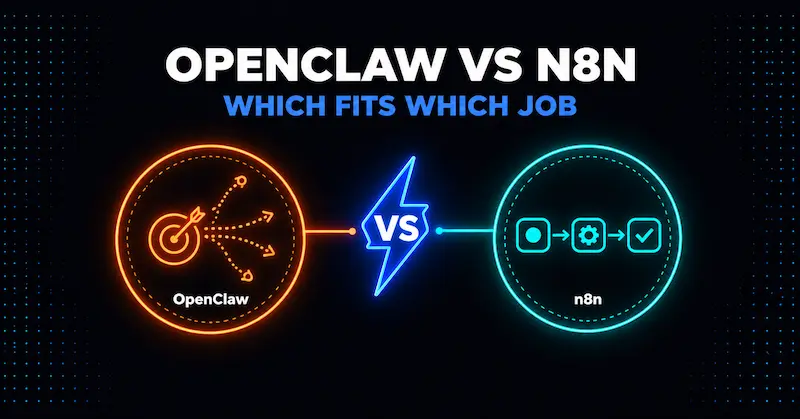
n8n runs the steps you draw, and OpenClaw decides its own steps from a goal you give it. That one difference drives almost everything else: how predictable the result is, how much you can audit, how the bill behaves, and how much damage a mistake can do. If a task can be drawn as a flowchart, n8n is usually the better fit. If the task needs judgment about messy input and you accept the risks, OpenClaw can do things a flowchart cannot. This guide compares them using the vendors’ own documentation and pricing pages, read on 27 October 2026 (OpenClaw v2026.10.7, n8n 2.45.4).
This is general information, not a security audit or professional advice. For the risks that come with OpenClaw in particular, start with the pillar guide on whether OpenClaw is safe for business.
Key Takeaways
- n8n executes a workflow you design. OpenClaw is an agent that chooses its own actions. Predictability and auditability favor n8n; open-ended judgment favors OpenClaw.
- Neither tool is a security free pass. On GitHub, n8n has 225 published security advisories (22 critical) and OpenClaw has 722 (14 critical). Counts reflect project age, popularity, and disclosure habits, so do not read them as a safety ranking.
- n8n’s hosted plans start at $24 a month ($20 if billed annually). OpenClaw’s software is free, but its model bill varies with how many calls the agent decides to make.
- n8n’s own AI Agent node can also act on its own, so the “safe” choice is a fixed workflow, not simply the product name.
- My rule of thumb: start with a fixed workflow, and add an agent only for the one step that needs judgment.
The Core Difference: Steps vs Goals
n8n is a workflow automation platform. You build a workflow out of nodes: a trigger, then steps such as “read this spreadsheet row,” “call this API,” “send this email.” When the trigger fires, the same steps run in the same order. n8n’s pricing page counts an “execution” as “a single run of your entire workflow,” however many steps it has.
OpenClaw is a free, open-source AI agent. You message it through a chat app and tell it what you want. A language model then decides which tools to use, and the tools run on the host machine unless you configure sandboxing. The pillar guide covers what that design means for risk.
An analogy helps: n8n is a flowchart you draw, and OpenClaw is a colleague you delegate to. A flowchart does the same thing every time. A colleague handles the unexpected, and also makes judgment calls you did not anticipate.
One wrinkle matters for the comparison. n8n also has an AI Agent node. Its docs describe an agent as a chain that “knows how to make decisions,” where “a chain follows a predetermined sequence” and an agent “uses a language model to determine which actions to take.” The docs add that when a workflow containing an agent runs, “the agent runs multiple times.” So the real choice is between fixed steps and model-chosen steps, and n8n can do either. If you put an agent node in an n8n workflow and give it powerful tools, you have moved toward the OpenClaw end of the risk scale.
OpenClaw vs n8n at a Glance
| n8n | OpenClaw | |
|---|---|---|
| How it works | Fixed workflows you build, with optional AI Agent nodes | Agent that chooses its own steps from a goal |
| Where you use it | Visual editor, webhooks, schedules | Chat apps such as Telegram, plus a dashboard |
| License | Sustainable Use License (source available; internal business use allowed, redistribution limited) | MIT, no paid tier, hosted service, or token |
| Hosting | n8n Cloud (data stored in Frankfurt, Germany, per the pricing page) or self-hosted | Self-hosted only: your PC, home server, or VPS |
| Predictability | High for fixed workflows | Lower, because the model picks the actions |
| Built-in approval for risky actions | Human review for AI tool calls, on all cloud plans | Exec approvals and sandbox settings you configure yourself |
| Pricing model | Per workflow execution, plus your model usage | Free software, plus hosting and model usage |
Sources: n8n’s pricing page, its documentation, its GitHub license file, and the OpenClaw README and docs. The license row is a plain-language summary of the license text, not legal advice, so read the license before you build a commercial product on top of n8n.
Security: Neither Is a Free Pass
It is tempting to assume the older workflow tool is safe and the new agent is dangerous. The public records do not support that shortcut.
I pulled the published security advisories for both projects from GitHub’s API on 27 October 2026:
| Project | Published advisories | Critical | High | Medium | Low | With CVE IDs |
|---|---|---|---|---|---|---|
| n8n | 225 | 22 | 99 | 102 | 2 | 102 |
| OpenClaw | 722 | 14 | 249 | 390 | 69 | 39 |
Read this table with care:
- It is not a safety ranking. The two projects differ in age (n8n’s earliest published advisory here is from April 2025, OpenClaw’s from January 2026), popularity, and how readily maintainers publish advisories. A high count can mean heavy scrutiny and fast disclosure as well as weakness.
- n8n has real critical issues. Recent critical advisories include arbitrary file read via the Git node, remote code execution through prototype pollution in the XML and HTTP Request nodes, and a Python Code node sandbox escape. A fixed workflow tool still needs patching.
- OpenClaw’s record is larger and mostly lower severity by share. Its docs say plainly that sandboxing is off by default, that the Gateway itself is never sandboxed, and that the sandbox “is not a perfect security boundary.” The pillar guide walks through those admissions.
The practical lesson is the same for both: pin a version, read release notes, and update on a schedule. For OpenClaw, the security checklist has an update routine. For n8n, apply the same habit to your own instance.
The difference that does hold up is structural. With a fixed workflow, the worst a bad input can usually do is limited to what that workflow’s steps and credentials allow. With an agent, an instruction hidden in an email or web page can try to steer the model into using any tool it holds. OpenClaw’s README tells you to “treat inbound messages as untrusted input” for exactly this reason.
Controls Each Tool Gives You
n8n lists these features on its pricing page:
- An encrypted credential store on every plan.
- Human approval for AI tool calls on every plan. Per n8n’s docs, the workflow pauses and a person approves or denies the specific tool call, which suits actions such as sending messages, modifying records, or deleting data.
- A security audit you can run on a self-hosted instance with
n8n audit, which produces five risk reports, starting with unused credentials and database settings. - On the Enterprise plan only: SSO and LDAP, audit logging, execution data redaction, enforced 2FA, and an external secret store.
So a small team on a cheaper plan does not get audit logging or SSO. If a regulator or customer will ask who did what, check that your plan includes it before you commit.
OpenClaw gives you a different set, most of it opt-in:
- Pairing for direct messages, so strangers get a code and are not served until you approve.
- Optional sandboxing, off by default.
- A built-in
openclaw security auditcommand that flags drift from the hardened baseline. - Tool permissions and exec approvals that you configure.
OpenClaw’s docs also state it is not a hostile multi-tenant boundary: one gateway should serve one trusted operator or a team that trusts each other. n8n’s multi-user project and role features are built around a team, which fits shared business use more naturally.
What Each Costs to Run
n8n Cloud prices by workflow executions, with unlimited steps per execution. Read from n8n’s pricing page on 27 October 2026:
| Plan | Executions per month | Monthly billing | Billed annually |
|---|---|---|---|
| Starter | 2,500 | $24 a month | $20 a month |
| Pro | 10,000 | $60 a month | $50 a month |
The Business plan is listed for self-hosted use only, and Enterprise is custom. n8n also offers a free self-hosted Community Edition on GitHub, where you pay for your own server. If you add AI steps, you also pay for model usage, unless you use the credits the Starter and Pro plans include for AI models without your own API keys.
A useful planning rule from n8n’s own page: a daily schedule is 30 or 31 executions a month, and one that runs every 5 minutes is about 8,600 to 8,900 executions a month. That is why “how often does it run” decides the plan.
OpenClaw is free to install. Your costs are the machine it runs on and the model it calls. In the setup and running costs guide I priced this with labelled assumptions: about $1.50 a month for 600 calls on a small model, and about $60 a month on a large one, plus roughly $12 a month if you rent a server. Those figures are illustrations, not quotes.
The difference that matters is not which is cheaper at the low end. It is how the bill behaves. An n8n workflow runs the steps you built, so its model calls are as many as you placed in it. An agent can make several model calls for one message, so its bill depends on what it decides to do. If a surprise bill would hurt, prefer the tool whose usage you can predict, and set a spending cap with your model provider either way.
Which Tool for Which Job
This table is my judgment from the differences above, not a vendor claim.
| Job | Better fit | Why |
|---|---|---|
| Send an invoice reminder when a payment is 7 days late | n8n | Fixed steps, runs on a schedule, easy to audit |
| Copy new form submissions into a CRM and notify the team | n8n | Predictable trigger and output |
| Sort incoming support emails by topic, then route them | n8n with one AI step | Judgment in one step, fixed steps around it |
| Draft a reply to a vague customer email for a human to review | n8n with an AI step and human approval | The person stays in the loop |
| Research a topic across several sites and summarize it | Either, with care | Open-ended, but low-stakes if no sensitive account is connected |
| Personal assistant tasks on a spare machine | OpenClaw | Flexible, experimental, isolated |
| Anything touching payroll, banking, health, or customer records | Neither as an unattended agent | See the pillar’s never-connect list |
Using Both Without Doubling the Risk
Many guides say “use both.” That is workable, and it also gives you two things to secure. If you do, a few rules follow from the controls above:
- Keep credentials in the workflow tool, not the agent. If n8n holds the keys and exposes only narrow webhooks, a compromised or misled agent can ask for specific actions but cannot read your accounts.
- Make the risky step a workflow with approval. Sending money, deleting data, or emailing customers should go through a fixed workflow with human review.
- Give the agent as little as possible. Follow the security checklist before you connect anything.
- Patch both on a schedule. Each has a long advisory record.
Treat these as design principles from the documented behavior, not a tested architecture.
When to Pick Neither
If your team has no one who can patch a server, review logs, or read release notes, a self-hosted agent or self-hosted workflow tool will drift out of date. A managed option, such as n8n Cloud or a simpler tool, moves the patching to the vendor. Our guides to n8n vs Make vs Zapier and self-hosted workflow automation tools cover the cost and maintenance trade-offs.
Frequently Asked Questions
Is n8n safer than OpenClaw?
For a fixed workflow, n8n usually gives you a narrower and more predictable blast radius, because the steps are set in advance. It is not immune: it has 22 critical advisories on GitHub. An n8n workflow with a powerful AI Agent node can behave like an agent too.
Can OpenClaw replace n8n?
For repeatable business processes, usually not. A flowchart is easier to test and audit than an agent’s judgment. OpenClaw suits open-ended tasks where you accept less predictability.
Is n8n free?
The self-hosted Community Edition is free to run under the Sustainable Use License, but you pay for the server. n8n Cloud starts at $24 a month, or $20 a month billed annually, for 2,500 executions.
Is OpenClaw free?
The software is MIT-licensed with no paid tier. You pay for hosting and for the AI model it calls.
Can I use n8n and OpenClaw together?
Yes. The safer pattern is to keep credentials and risky actions in n8n workflows and give the agent narrow access to them.
Which is easier for a non-technical owner?
n8n Cloud, because it is hosted and visual. OpenClaw requires terminal commands and a machine you maintain; see the beginner setup guide.
Continue Learning
- Is OpenClaw Safe for Business? Real Risks and When Not to Use It
- OpenClaw Security Checklist: Lock It Down Before You Connect Anything
- OpenClaw Setup for Beginners: Safe Steps and Real Running Costs
- n8n vs Make vs Zapier
- Best Self-Hosted Workflow Automation Tools
*Facts in this guide were read from official sources on 27 October 2026: OpenClaw docs and GitHub, n8n docs, pricing page and GitHub. Both products change quickly, so re-check prices and features before you buy.*