How to Audit Your Software Subscriptions and Cut SaaS Waste (Free Template)
A software subscription audit is a one-time inventory of every tool your business pays for, followed by a simple decision for each one: keep it, downsize it, merge it with something else, or cancel it. Most small teams have never done this, which is exactly why unused seats and forgotten trials-turned-subscriptions pile up quietly. Here’s the full process, plus a template you can copy directly.
Key Takeaways
- Finding every subscription takes checking three places: your card/bank statement, your password manager, and your email for renewal receipts.
- Track 6 fields per tool: owner, purpose, seat count, monthly cost, renewal date, and a usage signal.
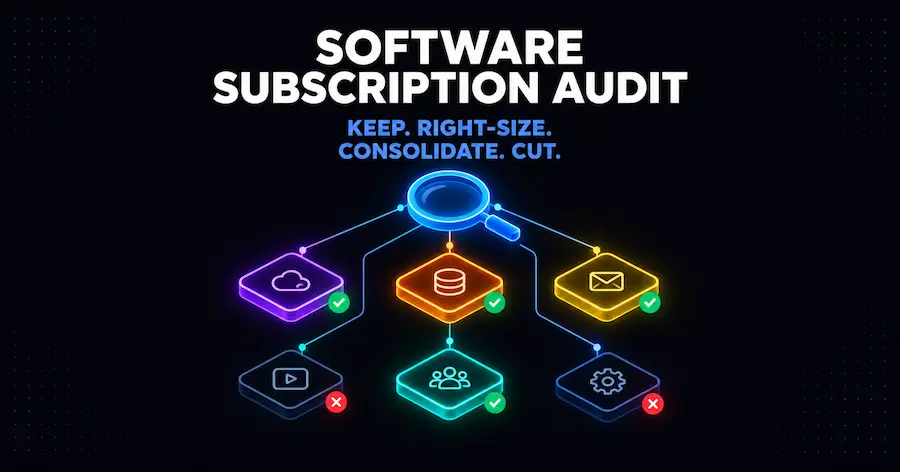
- Every tool gets one of four verdicts: keep, right-size, consolidate, or cut.
- Do a full audit once a year, with a 20-minute quarterly check in between.
- Renegotiating 90 days before a renewal, with real usage data in hand, is the single highest-leverage move in this whole process.
Step 1: Find Every Subscription
Most businesses genuinely don’t know the full list of what they’re paying for. Subscriptions get added one at a time, often by different people, and nobody keeps a master list until something forces the question. Three places reliably surface everything:
- Your card and bank statements. Scan the last 3 months for recurring charges. Anything billed monthly or annually from a software vendor goes on the list, even ones you don’t recognize at first glance.
- Your password manager. If you’re using one (see our small business tech stack guide for a comparison), it’s often a more complete record than your memory, since it accumulates every account you’ve ever logged into.
- Your email, searched for “receipt,” “invoice,” and “renewal.” This catches annual subscriptions specifically, which are the easiest to forget about since the charge only happens once a year.
Cross-reference all three. The card statement catches what you’re actually paying for right now; the password manager and email catch things you might have forgotten you still have access to, including free trials that quietly converted to paid.
Step 2: Record the 6 Fields That Matter
For each subscription found in Step 1, record:
- Owner: who on the team actually uses this, or requested it originally.
- Purpose: the one sentence answer to “what job does this do.”
- Seat count: how many logins you’re paying for, separate from how many people actually use it.
- Monthly cost: the real monthly-equivalent price, even for annual plans (divide the annual price by 12).
- Renewal date: when the next charge hits, especially important for annual plans.
- Usage signal: a rough sense of whether anyone opened it in the last 30 days. Most tools show this in an admin or billing dashboard.
This is the entire template. It doesn’t need to be more complicated than a spreadsheet with these 6 columns and one row per tool.
Step 3: Apply the Four-Way Verdict
Every tool on the list gets exactly one of four verdicts:
- Keep. Actively used, clearly worth the cost, no action needed.
- Right-size. The tool is worth keeping, but you’re paying for more seats or a higher tier than you actually use. Downgrade the plan or remove unused seats.
- Consolidate. Two tools on your list do overlapping jobs. Pick the one that does it better and cancel the other.
- Cut. Nobody has a clear answer for who uses this or why you’re still paying for it. Cancel it; if it turns out to matter, someone will notice within a week and you can resubscribe.
The “Cut” category is usually smaller than people expect, just a handful of tools out of a typical list, but those tools are frequently full-price seats nobody has opened in months. The “Right-size” category is usually where the bigger savings actually live: not tools you don’t need at all, but tools you’re paying for more of than you use.
Step 4: Negotiate Before You Cancel
For any tool landing in “Keep” or “Right-size” that’s a meaningful line item, check the renewal date from Step 2 and start a renegotiation conversation roughly 90 days before it hits. Bring two things to that conversation: your actual usage data from Step 2, and a credible alternative you’d switch to if the price doesn’t move. Vendors generally prefer offering a discount to retain a renewal over losing the account outright, which is why this timing works better than waiting until the renewal notice arrives with no time left to negotiate.
This step is also where “Consolidate” pays off twice: canceling the overlapping tool both removes its cost directly and gives you a genuine alternative to mention in the negotiation for the tool you’re keeping.
The Audit Template
Copy this table structure directly. One row per subscription.
| Tool | Owner | Purpose | Seats (used / paid) | Monthly cost | Renewal date | Verdict |
|---|---|---|---|---|---|---|
| Example: Zapier | Ops | Connects CRM to invoicing | 1 / 1 | $29.99 | March 15 | Keep |
| Example: Project tool B | Unknown | Unclear | 0 / 3 | $45.00 | June 1 | Cut |
The Zapier row uses its real Professional-tier price (Zapier pricing, retrieved 2026-10-10) as a worked example of what a real “Keep” row looks like; the second row is a hypothetical to illustrate a “Cut” verdict.
Fill in one row for every tool found in Step 1, using the 6 fields from Step 2, then assign the Step 3 verdict once the full list is in front of you. Seeing every subscription on one page, rather than scattered across a dozen monthly charges, is usually what makes the obvious cuts obvious.
How Often to Repeat This
A full audit once a year catches the tools that have quietly become obsolete. A 20-minute quarterly check, just scanning the card statement for anything new or any seat count that’s grown, keeps subscription sprawl from rebuilding in the gap between annual audits. The quarterly check doesn’t need the full 6-field template, just a glance for anything that looks wrong.
For the broader context of how this fits into building and maintaining a tech stack from scratch, see our small business tech stack guide, which covers choosing tools in the first place rather than auditing what you already have. If automation tools specifically are a meaningful line item in your audit, see our workflow automation cost guide for how to judge whether you’re paying the right amount for that layer.
Frequently Asked Questions
How do I find every software subscription I’m paying for?
Check three sources: your card and bank statements for the last 3 months, your password manager for accounts you’ve logged into, and your email searched for “receipt” or “renewal” to catch annual plans specifically. Cross-referencing all three catches more than any single source alone.
What’s the keep, right-size, consolidate, cut framework?
Every subscription gets one of four verdicts after review: keep (clearly worth it as-is), right-size (worth keeping but over-provisioned on seats or tier), consolidate (overlaps with another tool, pick one), or cut (no clear owner or usage, cancel it).
How often should I audit software subscriptions?
Once a year for a full audit using the 6-field template, with a lighter 20-minute check each quarter just to catch anything new or any seat count that’s grown since the last full pass.
How do I negotiate a SaaS renewal?
Start the conversation about 90 days before the renewal date, with your real usage data in hand and a specific alternative tool you’d switch to if the price doesn’t improve. Waiting until the renewal notice arrives leaves no room to negotiate.
Is a spreadsheet template actually enough, or do I need software for this?
A spreadsheet with the 6 fields from Step 2, one row per tool, is genuinely sufficient for a team small enough to count its subscriptions on two hands. Dedicated SaaS-management software exists for larger organizations tracking dozens of tools across multiple departments, which is outside the scope of what most small businesses need.
Continue Learning
Framework and tool selection:
How to Build a Small Business Tech Stack in 2026
Tool picks:
Best Software Tools for Small Businesses in 2026
Related cluster:
How Much Does Workflow Automation Cost in 2026?
The goal of an audit isn’t zero subscriptions, it’s knowing exactly what you’re paying for and why. Most teams that run this process once keep doing it, because the alternative, finding out 8 months later that 3 people have been paying for the same tool under different names, is worse.