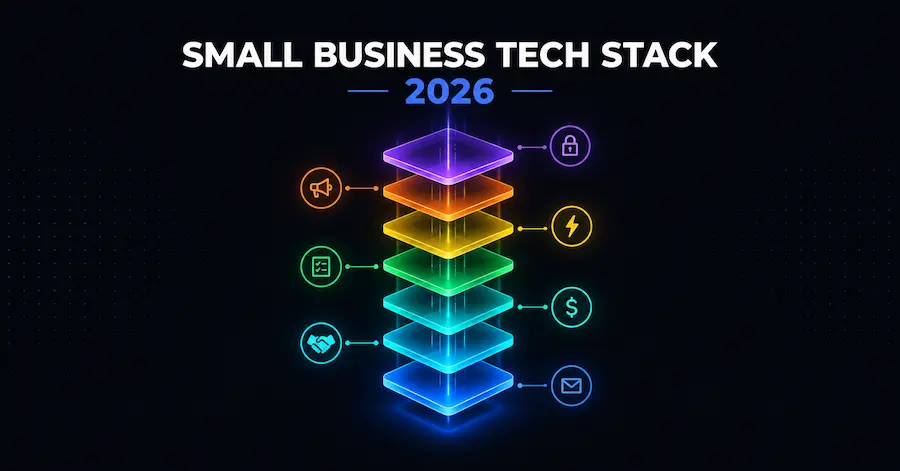
How to Build a Small Business Tech Stack in 2026 (Layer by Layer)
A small business tech stack is the set of software tools a business uses to run its core operations: communication, customer relationships, money, project work, and marketing. Most small businesses end up with one by accident, adding a tool whenever a problem gets annoying enough. This guide covers the opposite approach: pick the 7 layers on purpose, in the right order, and know what each one should cost before you buy it.
Key Takeaways
- A tech stack has 7 core layers. Most small businesses only need 4 of them to start: communication, money, CRM, and project management.
- Build in that order. Automation, marketing, and security layer come once the first 4 are working.
- A lean solo stack runs about $27.56/month using verified list prices; a fully-loaded solo stack runs closer to $88.55/month. Team stacks scale by seat, not by business size.
- Pick tools that integrate natively with your communication hub before you pick tools that don’t, even if the standalone tool looks better.
- Review your stack once a year. Most software sprawl comes from tools nobody cancelled, not tools nobody needed.
What Is a Small Business Tech Stack?
A tech stack, in a business context, is the collection of software a company uses to run itself, not the programming languages a developer uses to build an app. The two terms share a name and cause real confusion in search results: “tech stack” on its own often returns developer framework guides (React, Node, PostgreSQL), while “business tech stack” or “small business tech stack” returns the operational tools this guide covers.
A small business stack is built from a handful of categories, not dozens of disconnected apps:
- Communication and productivity, the hub everything else connects to
- Customer relationship management (CRM), where leads and clients live
- Money, meaning accounting, invoicing, and payroll
- Project and task management, where work gets assigned and tracked
- Automation, which connects the other layers so data does not need retyping
- Marketing and design, for reaching customers
- Security and access, for protecting logins and shared data
A common misconception is that more tools mean more capability. In practice, the businesses with the messiest operations are usually the ones with the most subscriptions, not the fewest. The goal of a stack is coverage of the 7 layers with the smallest number of tools that still integrate with each other.
The 7 Layers of a Small Business Tech Stack
Each layer answers one operational question. Here is what each layer does, when a business actually needs it, and one or two starting-price examples, verified directly against each vendor’s own pricing page rather than a search summary or review site.
1. Communication and Productivity
This is the hub layer: email, shared documents, video calls, and calendars. Every other tool in the stack either integrates with this layer or creates a second, disconnected inbox.
Google Workspace Business Starter costs $7.56 per user per month, billed monthly, and includes 30 GB of pooled storage per person. Business Standard steps up to $15.12 per user per month with 2 TB of storage per user. Starter, Standard, and Plus all cap out at 300 users per organization (Google Workspace pricing, retrieved 2026-09-29).
Slack‘s free plan keeps 90 days of message history and supports up to 10 connected apps, enough for a solo founder. Slack Pro costs $8.75 per user per month billed monthly, or $7.25 per user per month billed annually, and removes the history limit (Slack pricing, retrieved 2026-09-29).
A one-person business can usually run on Workspace alone. A team of 3 or more benefits from adding Slack once email threads start losing context.
2. Customer Relationship Management (CRM)
A CRM is where every lead, deal, and client conversation lives outside of someone’s personal inbox. Skipping this layer is the single most common reason small businesses lose track of follow-ups.
HubSpot‘s free CRM covers up to 2 users and 1,000 contacts, which is enough for a very early solo business (HubSpot CRM pricing, retrieved 2026-09-29). The Starter Customer Platform costs $10 per seat per month billed monthly, confirmed on HubSpot’s own Starter product page (HubSpot Starter, retrieved 2026-09-29). HubSpot lists $20 per seat per month as the undiscounted regular price, with the $10 rate as an ongoing new-customer offer, so check the live page for the current terms.
Most solo businesses can stay on the free tier for a while. A team that is actually closing deals should budget for Starter once more than 2 people need to see the pipeline.
3. Money: Accounting, Invoicing, and Payroll
This layer answers “how much did I make, how much do I owe, and did payroll go out.” It’s the layer regulators and tax preparers will actually ask to see.
Wave‘s Starter plan is free and includes unlimited invoices, estimates, and bills, no minimum spend required (Wave pricing, retrieved 2026-09-29). Wave Pro costs $19 per month billed monthly and adds automatic bank transaction imports. Xero‘s Early plan costs $25 per month for up to 20 invoices and 5 bills, and its Growing plan costs $55 per month with unlimited invoices and bills (Xero US pricing, retrieved 2026-09-29).
For payroll specifically, Wave’s payroll add-on starts at $40 per month in the US, layered on top of a Wave plan (Wave pricing, retrieved 2026-09-29). If you’re comparing dedicated payroll platforms, verify current pricing directly on the provider’s own site before committing; this guide does not cite a price we could not confirm firsthand.
4. Project and Task Management
This layer tracks who is doing what and by when. It matters more the moment a business has more than one person on it.
Trello‘s free plan allows up to 10 collaborators per Workspace with unlimited cards, which comfortably covers a solo founder or a 2-3 person team (Trello pricing, retrieved 2026-09-29). Trello Standard costs $6 per user per month billed monthly, or $5 per user per month billed annually, and removes the collaborator cap.
5. Automation
Automation connects the other layers so a new customer in the CRM automatically creates an invoice, or a form submission automatically posts to Slack, without anyone copying data by hand.
Zapier‘s free plan includes 100 tasks per month with two-step workflows. The Professional plan starts at $29.99 per month billed monthly for 750 tasks, and Team starts at $103.50 per month billed monthly for 2,000 tasks across up to 25 users (Zapier pricing, retrieved 2026-09-29).
For a full breakdown of automation platform pricing including self-hosted, execution-based alternatives, see our complete workflow automation cost guide.
6. Marketing and Design
This layer reaches customers directly: email campaigns and the visual assets that go with them.
MailerLite‘s free plan covers up to 250 subscribers and 2,500 emails per month. The Comfort plan starts at $12 per month at the smallest subscriber tier, and Power starts at $25 per month (MailerLite pricing, retrieved 2026-09-29).
7. Security and Access
The layer everyone adds last and regrets not adding first: a shared password manager so logins don’t live in a spreadsheet or a sticky note.
Bitwarden‘s Teams plan costs $4 per user per month, billed annually. Enterprise costs $6 per user per month, also billed annually. Bitwarden’s business pricing page shows annual billing only, with no separate monthly-billed business rate listed (Bitwarden business pricing, retrieved 2026-09-29).
AI assistants like Claude sit across several layers at once, drafting copy, summarizing documents, and answering research questions. Claude Pro costs $20 per month billed monthly, and Claude’s Team plan starts at $25 per seat per month billed monthly (Claude pricing, retrieved 2026-09-29). For a curated list of AI tools built specifically for solo operators, see our best AI tools for solopreneurs.
How to Build Your Tech Stack, Step by Step
- List the jobs, not the tools. Write down the 5 or 6 things your business actually needs software to do before you look at a single pricing page.
- Pick your hub first. Choose the communication and productivity layer (Google Workspace or similar) before anything else. Every other tool should be able to talk to this one.
- Add money and CRM next. These two layers protect revenue and relationships. They are not optional once you have a single paying customer.
- Check integrations before you buy. Before picking a project management or marketing tool, confirm it has a native integration with your hub, not just an export button.
- Start on free tiers and set an upgrade trigger. Decide in advance what will make you pay: hitting Trello’s 10-collaborator cap, or HubSpot’s 1,000-contact limit, for example, rather than upgrading on impulse.
- Assign one owner per tool. Someone should know the renewal date and the login for every subscription.
- Review the whole stack once a year. Cancel what nobody opened, downgrade seats nobody used, and only then consider adding something new.
Integration Rules: How to Pick Tools That Work Together
Two rules cut most stack problems off before they start:
- Native integration beats an automation workaround, which beats a manual export. If two tools already talk to each other out of the box, use that connection before building a Zap to bridge them.
- One tool owns each type of data. Contacts live in the CRM, not also in a spreadsheet. Invoices live in the accounting tool, not also in a project board. When two tools both claim to own the same data, pick one and stop updating the other.
How Much Should a Small Business Spend on Software?
There is no single right number, but real vendor pricing makes it possible to build honest ranges by stage. Every figure below comes from the verified prices above, using each vendor’s monthly-billed rate.
| Stage | Monthly cost | What’s included |
|---|---|---|
| Solo, lean | $27.56/month | Google Workspace Starter ($7.56) + Claude Pro ($20). Every other layer stays on a free tier (HubSpot Free, Wave Starter, Trello Free, Zapier Free, MailerLite Free). |
| Solo, full stack | $88.55/month | Adds Wave Pro ($19), Zapier Professional ($29.99), and MailerLite Comfort ($12) on top of the lean stack. |
| 4-person team | $186.23/month | Workspace (4 seats), Slack Pro (4 seats), HubSpot Starter (2 seats), Wave Pro, Trello Standard (4 seats), Zapier Professional, MailerLite Comfort, Bitwarden Teams (4 seats, billed annually). Payroll not included. |
| 10-person team | $627.20/month | Workspace Standard (10 seats), Slack Pro (10 seats), HubSpot Starter (3 seats), Xero Growing, Trello Standard (10 seats), Zapier Team, MailerLite Power, Bitwarden Teams (10 seats, billed annually), Claude Team (3 seats). Payroll not included. |
Sources for the table above, all retrieved 2026-09-29: Google Workspace, Slack, HubSpot, Wave, Xero, Trello, Zapier, MailerLite, Bitwarden, Claude.
These are list prices for the specific plans named, not a forecast of what any individual business will pay. Annual billing lowers several of these figures further; the numbers above use each vendor’s monthly-billed rate as the primary figure, per each service’s own pricing page. For the AI-tool layer specifically, our roundup of AI tools built for solo operators and our ranked picks for small business software cover the categories this guide intentionally does not rank.
Solo Stack vs. Small Team Stack
A solo founder’s stack and a small team’s stack solve different problems even when they use some of the same tools. A solo stack optimizes for the fewest logins and the lowest fixed cost, since one person is paying for and maintaining everything. A team stack optimizes for shared visibility instead, since the CRM and project board only earn their cost once more than one person needs to see the same data.
Take a 3-person marketing consultancy as an example. The founder runs client work solo for the first year on Google Workspace Starter and Wave’s free plan, nothing else. Once two contractors join to handle overflow client work, the stack changes shape rather than just growing: HubSpot’s free CRM becomes Starter so all three people can see the same pipeline, Trello moves from a personal board to a shared Workspace, and Slack replaces email for day-to-day check-ins. Nothing in the automation, marketing, or security layers gets added yet, because three people sharing four tools well beats three people each running their own version of eight.
If you’re a one-person business, the budget table above already covers your numbers directly: the lean and full-stack rows are built for a single operator. If you’re past that stage, see our full comparison of small business software by category.
Common Tech Stack Mistakes
- Paying for seats nobody uses. Per-seat pricing (Slack, HubSpot, Trello, Bitwarden) charges for a login whether or not the person opens the app that month.
- Running two tools that both claim to own the same data, usually a CRM and a spreadsheet, or two project boards started by different people.
- Never reviewing the stack after it’s built. Our upcoming software subscription audit guide walks through a yearly audit process and a free tracking template.
- Buying the automation layer before the first 4 layers are solid. Automation connects tools that already work; it does not fix tools that are missing.
Frequently Asked Questions
What is a tech stack in business terms?
A business tech stack is the set of software an organization uses to run communication, customer relationships, money, project work, marketing, and security. It’s a different meaning from a “tech stack” in software development, which refers to programming languages and frameworks.
How many tools does a small business actually need?
Four layers cover the essentials for most small businesses starting out: a communication hub, a CRM, an accounting tool, and a project management tool. The remaining 3 layers (automation, marketing, security) get added once those 4 are working reliably.
How much should a small business spend on software per month?
A lean solo stack runs about $27.56 per month: Google Workspace Business Starter at $7.56/user/month plus Claude Pro at $20/month, both retrieved 2026-09-29. A fully-loaded solo stack that adds paid accounting, automation, and email marketing runs about $88.55 per month; see the sourced budget table above for the full breakdown and team-size examples.
Should I pick free tools or paid tools when starting out?
Start on free tiers wherever they cover your actual usage: Google Workspace has no free business tier, but HubSpot, Wave, Trello, Zapier, and MailerLite all offer functional free plans. Upgrade only when you hit a specific, named limit (contacts, collaborators, tasks), not on a general sense that the paid version is better.
Do I need a password manager for a one-person business?
It becomes valuable the moment you share any login with a contractor, assistant, or co-founder. Bitwarden‘s Teams plan costs $4 per user per month billed annually (retrieved 2026-09-29), which is inexpensive relative to the cost of a shared password living in an unencrypted document.
Continue Learning
Solo founder stack:
Best AI Tools for Solopreneurs.
Small team stack operations:
Our upcoming software subscription audit guide covers cutting SaaS waste. See also Best Software Tools for Small Businesses in 2026.
Related: How Much Does Workflow Automation Cost in 2026?
The right stack is the smallest set of tools that covers all 7 layers and actually talks to each other. Start with the hub, add money and CRM, and let real usage, not a sales page, decide when to upgrade.