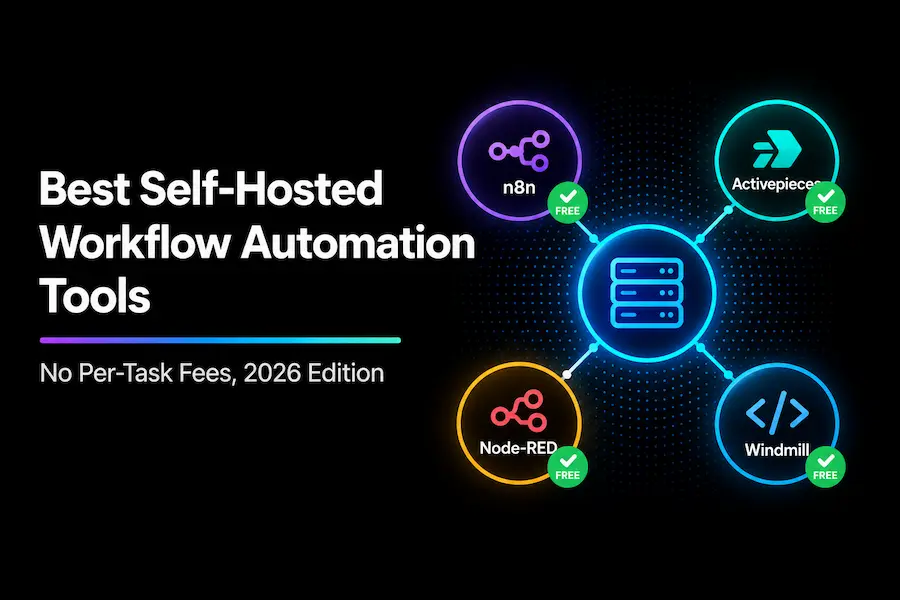
Best Self-Hosted Workflow Automation Tools (No Per-Task Fees)
The four strongest self-hosted workflow automation tools right now are n8n, Activepieces, Node-RED, and Windmill. All four are genuinely free to self-host with no per-task or per-operation fee, which is the entire point of going this route instead of a Zapier-style subscription. You pay for a small VPS to run them on instead, and DigitalOcean’s cheapest basic droplet starts at $4/month, enough for a small team’s automation volume regardless of how many workflows you run.
Key Takeaways
- n8n has the largest integration library and community, but the steepest learning curve of the four.
- Activepieces trades some integration breadth for a noticeably easier, step-based builder and a fully permissive MIT license.
- Node-RED is the lightest-weight option and the most established outside pure business automation, with deep roots in IoT and industrial use.
- Windmill is the most developer-oriented, letting you write real code (Python, TypeScript, Go, SQL) with auto-generated UIs on top.
- All four remove the volume-based pricing ceiling entirely. Your only cost is your server, not how many times your workflows run.
Why Self-Hosting Removes the Real Cost Problem
Every cloud automation platform prices around usage, tasks for Zapier, operations for Make, credits for Activepieces Cloud. Run more, pay more, and the ceiling can climb fast as your business grows. Self-hosting sidesteps that model completely: you’re paying for compute, not for how many times your workflows fire. Our full workflow automation cost breakdown covers exactly how much that volume-based pricing can add up to if you stay on a cloud plan. It also includes a free calculator to check your own numbers.
1. n8n
n8n is the most mature and widely-integrated option on this list, with over 1,500 integrations and a large, active community. The Community Edition is free to self-host with no execution cap. Its node-based canvas gives you real configuration control, but that same flexibility means a steeper learning curve than the other tools here, especially if you’re not used to thinking in terms of connected nodes.
For the full head-to-head against the next tool on this list, see n8n vs Activepieces: Which One Should You Use in 2026?
2. Activepieces
Activepieces is fully MIT-licensed, meaning you can modify, redistribute, or even white-label it without a separate commercial agreement, unlike n8n’s Sustainable Use License. Its step-based flow builder is noticeably easier to pick up than n8n’s node canvas, at the cost of a smaller integration library: 670+ integrations versus n8n’s 1,500+. The Community Edition self-hosts free, same as n8n.
3. Node-RED
Node-RED is the lightest-weight tool on this list and the one with the longest history outside pure business automation. Built on Node.js and maintained under the OpenJS Foundation, it’s genuinely free and open-source with no separate paid tier at all. Its flow-based visual editor has deep roots in IoT and industrial control systems, backed by an ecosystem of over 5,000 community-built nodes, but it works just as well for general business workflow automation if you want something simpler and lighter than n8n to self-host.
Node-RED is the right pick if you want the absolute simplest thing to run on a small server and don’t need n8n’s business-app-focused integration library.
4. Windmill
Windmill is the most developer-oriented option here. Instead of building purely with a visual canvas, you write real scripts in Python, TypeScript, Go, or SQL, and Windmill auto-generates a UI on top for anyone else on your team to run them without touching code. Windmill’s own pricing page lists the free Community Edition’s real limits: up to 50 users, 3 workspaces, 4 permission groups, and 10 GiB of object storage. If you outgrow those limits, the same page shows Windmill’s Enterprise Edition starting around $120/month, adding unlimited workspaces, audit logs, and SSO.
Windmill is the right pick if your team is comfortable writing code and wants more control over exactly what a workflow does than a pure drag-and-drop builder allows, without giving up the option to expose it as a simple UI for non-technical teammates.
What Self-Hosting Actually Costs You
The software is free across all four tools. What you’re actually paying for is the server. DigitalOcean’s cheapest basic droplet starts at $4/month, and that’s genuinely enough to run a small team’s automation volume on any of these four tools. Budget $4-20/month depending on how much you’re running and whether you want some headroom. That figure stays flat no matter how many times your workflows execute, which is the entire advantage over a usage-priced cloud plan.
The tradeoff is your own time: you’re responsible for setup, updates, and occasional maintenance that a managed Cloud plan would otherwise handle for you. If you self-host an AI agent instead of a workflow tool, the same upkeep matters more; our OpenClaw security checklist shows what hardening involves. For a deeper look at where self-hosting fits against paying for a fully managed plan or hiring an agency to build your automations, see our complete cost breakdown.
Quick Comparison
| Tool | Integrations | License | Learning Curve | Free Tier Limits |
|---|---|---|---|---|
| n8n | 1,500+ | Sustainable Use License | Steeper | Unlimited (self-hosted) |
| Activepieces | 670+ | MIT (fully permissive) | Gentle | Unlimited (self-hosted) |
| Node-RED | 5,000+ community nodes | Open source (OpenJS Foundation) | Gentle | Unlimited, no paid tier exists |
| Windmill | Code-based (Python/TypeScript/Go/SQL) | Open source, paid Enterprise tier available | Steepest (requires coding) | 50 users, 3 workspaces, 10 GiB storage |
Which One Should You Actually Pick?
Want the widest integration coverage and don’t mind a learning curve? n8n.
Want the easiest day-to-day building experience and MIT-license flexibility? Activepieces.
Want the simplest, lightest thing to run, and don’t need deep business-app integrations? Node-RED.
Want to write real code with an auto-generated UI on top? Windmill.
If you’re still deciding between the two most popular options specifically, n8n vs Activepieces goes deeper on that exact decision. And if self-hosting entirely isn’t the direction you want, n8n vs Make vs Zapier covers the managed-cloud alternatives.
Frequently Asked Questions
Is self-hosting actually free, or are there hidden costs?
The software itself is free under an open-source license for all four tools covered here. You pay for the server it runs on, typically $4-20/month for a small VPS, plus your own time for setup and occasional maintenance.
Do I need to be a developer to self-host any of these?
n8n, Activepieces, and Node-RED are all designed to be run and used without writing code, though initial server setup requires basic comfort with deploying software (often via Docker). Windmill is the exception: it’s built specifically for teams who want to write real code.
Which of these four has the most integrations?
n8n, with over 1,500 integrations as of this writing, compared to Activepieces’ 670+. Node-RED’s strength is its 5,000+ community nodes, though many are IoT and hardware-focused rather than business-app integrations specifically.