Best AI Tools for Solopreneurs in 2026
Here is the math problem nobody talks about when they tell you to start a one-person business.
If your core work is worth $100 to $300 per hour and you are spending eight to twelve hours every week on emails, admin, scheduling, research, and content, that is somewhere between $800 and $3,600 in billable capacity you are losing every single week. Over a year, that number becomes $40,000 to $180,000 in revenue you simply never earned because you were too busy doing things that do not actually pay.
The traditional answer to this problem is hiring a virtual assistant. A good one costs between $3,000 and $5,000 per month. For most solopreneurs, that math does not work until you are already earning enough to justify it, which means you are stuck drowning in admin at the exact stage when you most need to be focused on growth.
The 2026 answer looks completely different. A well-configured stack of AI tools covers most of the same functions for somewhere between $50 and $100 per month. Not a partial solution. Not a workaround. A genuine replacement for the administrative layer of running a one-person business, at roughly two percent of the cost.
This post maps that stack precisely. Four functional layers, specific tools for each, honest pricing, and a clear starting point depending on your budget and what is currently eating the most time.
Already know you need to cut admin time and want the stack breakdown directly? Jump straight to the full stack table →
Stop Buying Tools. Start Filling Roles.
The reason most solopreneurs end up with twelve subscriptions and no system is that they buy tools based on recommendations rather than function. Someone on X says Notion changed their life. A podcast mentions Jasper. A newsletter covers Perplexity. You sign up for all three, use none of them consistently, and spend $80 a month on software that mostly sits open in browser tabs.
The smarter approach is to start from the other end. Identify the four functions that are draining your time and then match tools to those functions, not the other way around.
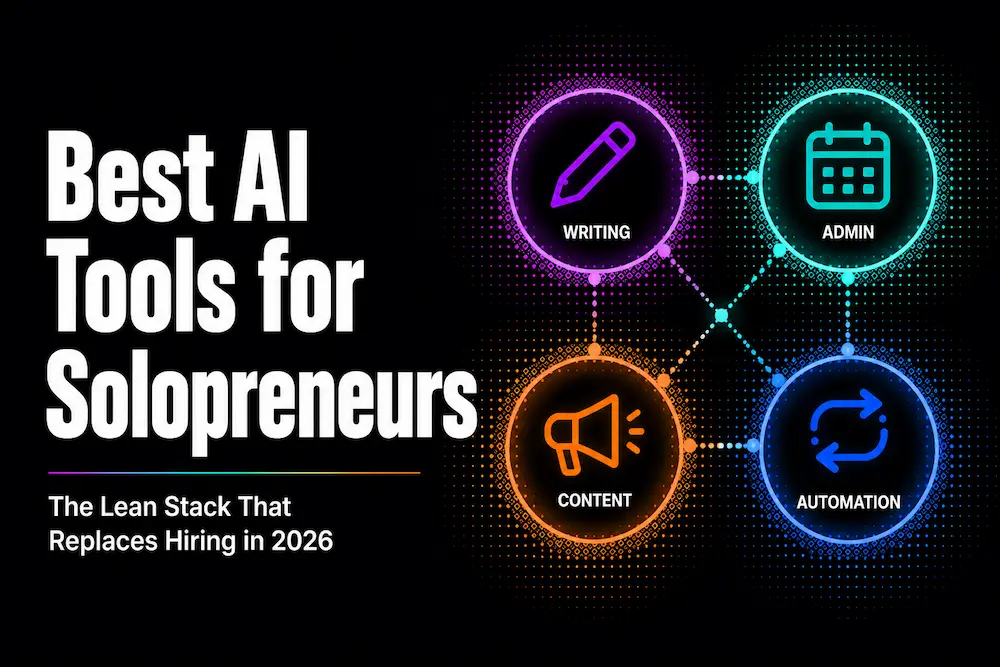
Every solopreneur business, regardless of what you actually do, runs on the same four operational layers:
The thinking and writing layer handles everything that requires generating words. Client proposals, email replies, blog content, strategy documents, research summaries. This is where general-purpose AI assistants live.
The admin and communication layer handles everything that doesn’t generate revenue but has to happen anyway. Email triage, meeting notes, scheduling, follow-up tracking, knowledge management.
The content and marketing layer handles your external presence. Social content, visual assets, research-backed articles, marketing copy.
The automation layer connects everything together and handles the repetitive sequences that eat time when done manually.
Build one layer at a time. The writing layer first because it has the highest impact per dollar. The admin layer second because it directly recovers billable hours. The content layer third because it compounds over time. The automation layer last because it multiplies everything above it.
The Thinking and Writing Layer: Your General-Purpose AI Assistant
Every solopreneur needs one general-purpose AI assistant. Not three. One. The biggest productivity mistake in this category is toggling between multiple chatbots hoping each one will be slightly better for the current task. Pick one as your primary, stick with it long enough to actually learn how to use it well, and use the other for the specific cases where it genuinely outperforms.
ChatGPT
ChatGPT remains the most versatile option for solopreneurs who need breadth over depth. It handles writing, research, brainstorming, image generation, voice mode, data analysis with code execution, and web browsing in one subscription. The GPT-5.5 model now running on Plus accounts handles most everyday business tasks at a quality level that is genuinely hard to distinguish from careful human writing on a first pass.
The ecosystem is also deeper than any competitor. Custom GPTs let you build reusable workflows, essentially saving your prompting system so you don’t rebuild it every time. The memory system retains context about your business, clients, and preferences across conversations. For solopreneurs running content operations or client-facing writing at scale, these features save hours of re-setup time each week.
Where ChatGPT earns its place: quick drafts, brainstorming, image generation for social content, research summaries with web browsing, and anything where you need a tool that handles multiple modalities in one interface.
Pricing: Free tier with limited access. Plus at $20/month. Pro at $100/month for unlimited access to reasoning models.
Claude
Claude is the better choice for solopreneurs whose core work involves long-form writing, detailed analysis, or working with large documents. The 200,000 token context window handles entire contracts, lengthy reports, full manuscript drafts, or a month of email threads in a single conversation without losing coherence. ChatGPT’s 128,000 token limit handles most tasks but starts to degrade in the middle of very long contexts in a way Claude does not.
The writing quality difference is real and worth acknowledging honestly. Claude produces prose that requires less editing for voice, tone, and naturalness than most AI output. Professional writers, consultants, and anyone whose product is the quality of their thinking on paper consistently cite this as the reason they stick with Claude over alternatives. It asks clarifying questions, pushes back on weak arguments, and produces analysis that feels like a collaborator rather than an autocomplete engine.
Claude Pro also includes Claude Code at no extra cost, which is significant for solopreneurs who use AI for any technical work.
Where Claude earns its place: long-form content, document analysis, client proposals that need to sound genuinely intelligent, detailed research synthesis, and any writing task where output quality directly affects your business reputation.
Pricing: Free tier with daily usage limits. Pro at $20/month (or $17/month billed annually). Max plans at $100/month and $200/month for higher usage.
Which One to Start With
If you need to pick one, the honest answer is that both cost $20 per month and both free tiers are worth testing before you pay for either. Spend one week using ChatGPT’s free tier for your actual daily tasks. Spend the next week using Claude’s free tier for the same tasks. Pay for whichever one you reached for more naturally.
Most solopreneurs who use AI heavily end up using both: Claude for deep writing and analysis, ChatGPT for quick tasks, images, and web research. That’s $40 per month for the combination, which is a reasonable allocation given the time it recovers.
The Admin and Communication Layer: Replacing Your VA
This is the layer that most directly translates to recovered hours. Admin is the category that solopreneurs almost universally describe as their biggest time drain, and it’s also the category where AI tools have made the most meaningful progress in 2026.
Notion AI
Notion at $10 per month on the Plus plan is the operational backbone most solopreneurs are missing. Not as a note-taking app. As a centralized workspace where your client documentation, project tracking, content calendar, SOPs, and meeting notes all live in one place, with an AI layer that can search, summarize, and draft across everything you have stored.
The AI features worth using in practice: Ask Notion lets you query your entire workspace in natural language (“what did we decide about the client’s timeline in last week’s meeting?”). The AI writing assistant drafts documents from templates you define, which means client onboarding docs, proposal structures, and project updates all start from a consistent base rather than from scratch. Meeting notes connected to your Notion workspace become searchable organizational memory rather than forgotten documents in a downloads folder.
The limitation to know upfront: full AI Agent access requires the Business plan at $20 per month. For most solo operators, the Plus plan AI features are sufficient. If you need AI that can autonomously execute multi-step tasks within your workspace, budget for Business.
Pricing: Free plan available. Plus at $10/month. Business at $20/month.
Otter.ai
If you spend meaningful time in meetings, whether with clients, collaborators, or on discovery calls, the time spent manually taking notes and summarizing outcomes is one of the easiest places to automate in a one-person business.
Otter.ai transcribes calls in real time across Zoom, Google Meet, and Microsoft Teams, then automatically extracts action items, decisions, and key points. After a 60-minute client call, you open Otter and the meeting is already summarized with a list of what needs to happen next. No notes to type, no actions to excavate from memory, no follow-up delay because you forgot what was agreed.
The free plan transcribes 300 minutes per month with a 30-minute cap per conversation. For most solopreneurs, that covers their meeting load without paying for anything. The Pro plan at $8.33 per month unlocks longer individual transcriptions and higher monthly volume.
Pricing: Free at 300 minutes per month. Pro at $8.33/month billed annually.
The Content and Marketing Layer: Visibility Without a Team
Content is the solopreneur’s long-term leverage. A blog post, LinkedIn article, or social series that keeps generating leads six months after you wrote it is the closest thing to passive revenue that exists in a service business. The tools in this layer are how you produce that content consistently without it consuming your week.
Canva AI
Canva Pro at $15 per month is the single highest-value tool for solopreneurs who need professional-looking visual content without a designer. The AI features added in 2025 and 2026 have genuinely changed what a non-designer can produce.
Magic Design generates complete social post layouts, presentation slides, and marketing graphics from a prompt. Magic Write drafts copy directly inside your designs. The Brand Kit stores your colors, fonts, and logo so every piece of content you produce looks consistent without manually resetting styles each time. Background remover, AI image generation, and video editing round out a creative toolkit that previously required either expensive software or an agency relationship.
For solopreneurs running any kind of content operation, LinkedIn presence, or client-facing materials, Canva Pro at $15 per month replaces tools that previously cost five to ten times as much.
Pricing: Free tier with limited features. Pro at $15/month. Canva Pro pricing varies by region so check your local rate at canva.com/pricing.
Perplexity
Perplexity is not a writing tool. It’s a research tool, and that distinction matters for how you use it. Where ChatGPT and Claude generate content from training data, Perplexity searches the live web, synthesizes the most relevant sources, and gives you cited answers in real time. That makes it the right tool for market research, competitor analysis, fact-checking, staying current on industry trends, and any research task where accuracy and recency matter more than creativity.
For a solopreneur writing content in the AI and SaaS space, using Perplexity to research the current state of a topic before writing about it is a practical quality control step. You know your content reflects what is actually true in 2026 rather than what was true when a language model was trained.
The free tier is genuinely useful for light research. Pro at $20 per month unlocks deeper research modes, document uploads, and access to more powerful models for complex analytical queries.
Pricing: Free tier available. Pro at $20/month .
The Automation Layer:
This is where the stack stops being a collection of tools and becomes a system. The first three layers handle individual tasks. The automation layer connects them and handles the repetitive sequences that consume time whenever they run manually.
A practical example of what this looks like in a real solopreneur business: a new lead fills out your contact form, triggering a workflow that logs their details to your Notion CRM, sends them a personalized acknowledgment email based on their inquiry type, creates a follow-up task in your project management system, and sends you a Slack notification with their contact information summarized. That entire sequence happens in under 30 seconds with no manual input.
Without automation, that same sequence takes ten to fifteen minutes across multiple apps, every single time it happens.
The tools that power this layer are Zapier, Make and n8n, which we covered in depth in our automation tool comparison. The short version: Make at $10.59 per month handles most solopreneur automation needs through a visual canvas that non-technical users can navigate without prior experience. n8n’s free self-hosted Community Edition is the more powerful option for anyone comfortable setting up a basic server, with no usage limits and 70-plus AI workflow nodes for building genuine agent automations.
For solopreneurs who want to connect their writing tools, their Notion workspace, their email, and their client communication into a single automated system, the combination of Make plus the tools in the layers above creates an operational infrastructure that competes with teams three to five times larger.
If you want to understand the full depth of what automation adds to this kind of stack, the agentic workflows guide covers the architectural shift from basic automation to AI-driven decision-making in practical terms.
The Complete Stack by Budget
Here’s what the full stack looks like at three different investment levels. Every tool listed has a free tier worth starting with before committing to any paid plan.
The Free Tier (Zero Cost)
| Tool | Function | Cost |
|---|---|---|
| Claude Free | Writing and analysis | $0 |
| ChatGPT Free | Research and quick tasks | $0 |
| Notion Free | Workspace and documentation | $0 |
| Otter.ai Free | Meeting transcription (300 min/month) | $0 |
| Canva Free | Visual content (limited templates) | $0 |
| Perplexity Free | Research with citations | $0 |
| n8n Community Edition | Automation (self-hosted) | $0 |
This is the stack you run for the first month while you figure out which tools you actually reach for and which ones gather dust. The free tiers are more capable than most people expect and entirely sufficient for testing whether a tool fits your workflow before spending anything.
The Lean Stack (Under $50/Month)
| Tool | Function | Cost |
|---|---|---|
| Claude Pro | Primary AI assistant | $20/month |
| Notion Plus | Workspace and AI search | $10/month |
| Canva Pro | Visual content creation | $15/month |
| Otter.ai Free | Meeting transcription | $0 |
| Perplexity Free | Research | $0 |
| Make Free | Basic automation (1,000 credits) | $0 |
| Total | $45/month |
This is the stack that covers most solopreneur needs. The combination of Claude Pro for writing depth, Notion Plus for operational organization, and Canva Pro for visual content handles the majority of daily tasks that currently consume time. The automation layer on Make’s free tier covers simple two to three step workflows.
The Full Stack (Under $100/Month)
| Tool | Function | Cost |
|---|---|---|
| Claude Pro | Primary AI assistant | $20/month |
| ChatGPT Plus | Secondary AI, images, web | $20/month |
| Notion Plus | Workspace and AI search | $10/month |
| Canva Pro | Visual content creation | $15/month |
| Perplexity Pro | Deep research | $20/month |
| Otter.ai Pro | Full meeting transcription | $8.33/month |
| Make Core | Full automation (40,000 credits) | $10.59/month |
| Total | $83.92/month (if you choose either Claude Pro or ChatGPT Plus) $103.92/month (if you choose both) |
This is the stack that genuinely replaces a $3,000 to $5,000 per month virtual assistant for most administrative and content functions. It doesn’t replace human judgment on strategic decisions or the relationship layer of client work. It replaces the time you currently spend doing things that don’t require your judgment at all.
Which Stack Fits Your Situation
You’re a writer, content creator, or consultant whose product is words. Start with Claude Pro at $20 per month and Notion Plus at $10 per month. That $30 covers your writing quality and organizational system. Add Perplexity Pro when research becomes a bottleneck and Canva Pro when you need more consistent visual content.
You’re a service provider with regular client calls and project management needs. Start with Claude Pro, Notion Plus, and Otter.ai Pro. The combination of AI writing quality, workspace organization, and automatic meeting transcription covers the three highest-time-cost functions in a client service business. Add Make once you have consistent workflows worth automating.
You’re a developer or technical founder. Claude Pro for the writing layer and its included Claude Code access. n8n self-hosted for automation at zero cost. Skip Canva and Notion initially and add them once the core technical and writing workflows are covered.
You’re just starting out with zero budget. Run every free tier for 30 days. The free versions of Claude, ChatGPT, Notion, Canva, and Perplexity are capable enough to run a real business. Identify which one you use most and pay for that one first.
What This Stack Doesn’t Replace
Honesty matters here because the marketing around AI tools often oversells what they can actually do.
This stack does not replace your expertise, your relationships, or your judgment on decisions that require contextual knowledge of your clients and business. It does not replace a human assistant for tasks requiring empathy, nuance, or physical presence. It will not automatically build your audience, close your deals, or manage difficult client relationships.
What it replaces is the mechanical layer of running a business. The first drafts you currently write from scratch. The meeting notes you currently type manually. The research you currently do across twelve browser tabs. The social posts you currently procrastinate on because designing them feels like too much work. The follow-up sequences you currently manage by hand.
That mechanical layer is where most solopreneurs lose 10 to 15 hours per week. Getting those hours back doesn’t guarantee you’ll use them well. But it does mean you have the choice.
Building the Stack: Where to Start
The most common mistake is trying to implement everything at once. You end up with six new tools, no real system, and the same time drain you started with just more expensive.
Start with the layer that directly connects to how you earn money. If your revenue depends on your writing, start with Claude Pro. If your revenue depends on client relationships and you’re losing track of conversations and follow-ups, start with Notion Plus. If you have consistent workflows that run manually every week, start with Make’s free plan and automate one of them.
The best software tools for small businesses, which we covered in our first post, operate on the same principle: the tool that gets used consistently is always more valuable than the tool with more features that sits dormant.
Build one layer. Use it long enough to see the time savings clearly. Then add the next one.
The Bottom Line
The gap between what a one-person business can produce in 2026 with the right AI stack and what it could produce two years ago without one is genuinely significant. Not because the tools are magic. Because they eliminate the mechanical friction that makes good work harder than it needs to be.
Under $50 per month gets you a stack that covers writing quality, organizational infrastructure, and visual content. Under $100 per month adds a full automation layer, deep research capability, and a secondary AI assistant for tasks that require different strengths. That total is still less than two percent of what a traditional VA hire costs.
The tools exist. The question is which ones you actually need and in which order to build them. That’s what this post was designed to answer.