AI Native IDEs vs Vibe Coding Tools Compared in 2026
There’s a problem nobody talks about in the vibe coding conversation.
Everyone’s too busy being excited.
“Build an app in 10 minutes.” “No coding required.” “Ship your SaaS idea today.” The demos look incredible, the LinkedIn posts are everywhere, and somehow it feels like you’re the only one who hasn’t launched three startups already using AI tools.
Then you actually try to pick one. And suddenly there are fifteen options, everyone online has a different opinion, and the tools themselves aren’t exactly upfront about who they’re built for or what they can and can’t do.
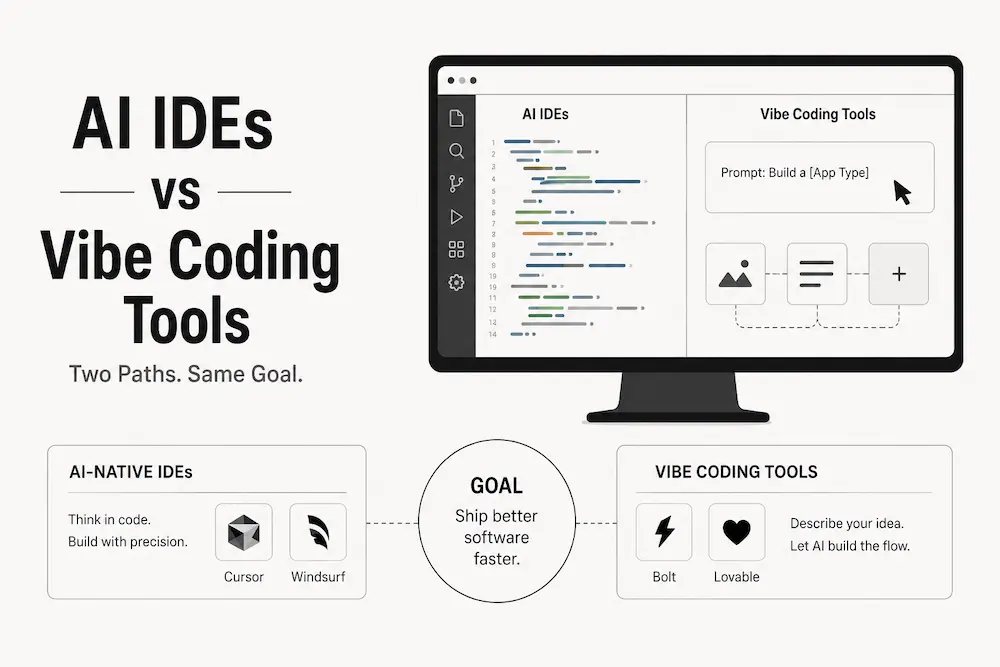
Here’s what becomes obvious after spending serious time across these platforms: the confusion isn’t about features. It’s about category. People are comparing tools that aren’t really competing with each other. It’s like arguing whether a scalpel or a Swiss Army knife is better. Depends entirely on what you’re trying to do.
So let’s fix that. No sponsored rankings, no copy-pasted feature tables. Just a clear map of the landscape so you can stop second-guessing and start building.
Key Takeaways
- There are two categories, not one market: AI IDEs (Cursor, Windsurf, Trae) help developers code faster inside an existing workflow; AI app builders (Lovable, Bolt, Emergent) generate the whole application from a plain-English description, no coding required.
- Within app builders, Lovable and Bolt mainly generate the frontend on a managed stack, while Emergent builds a genuine full backend, database, and deployment pipeline.
- If you code: start with Trae (free) or compare Cursor and Windsurf. If you don’t code: Lovable or Bolt for a fast MVP, Emergent if you need real backend complexity.
First, Understand the Split That Changes Everything
The AI coding tool market in 2026 has quietly divided into two fundamentally different categories. Most comparisons miss this completely, and it’s exactly why people end up frustrated after spending hours trying out the wrong tool.
Category A: AI-Assisted IDEs. Tools like Cursor, Windsurf, and Trae. These sit on top of your existing code environment. They read your codebase, understand context, and help you write, refactor, and debug faster. But here’s the key thing: you still write code. You need to understand what’s happening under the hood. These are developer tools, not shortcuts around development.
Category B: Cloud Vibe Coding and AI App Builders. Tools like Lovable, Bolt, and Emergent. These don’t assist your coding. They replace it entirely. You describe what you want in plain English, and they generate the application. No local setup, no IDE, no terminal commands. The target user isn’t a developer who wants to move faster. It’s a founder, designer, or operator who doesn’t code at all.
And within Category B, there’s a further split that almost nobody explains clearly. Some tools, like Lovable and Bolt, primarily generate the frontend of your application. Others, like Emergent, take a genuine full-stack approach and build the backend, database, authentication, and deployment alongside the interface. That distinction matters enormously depending on what you’re actually trying to ship.
Once you understand all of this, the entire market makes sense. The question isn’t “which tool is best?” The question is “which category do I belong in, and how much of the stack do I actually need built?”
Quick Comparison: All 6 Tools at a Glance
| Tool | Category | Best For | Starting Price |
|---|---|---|---|
| Cursor | AI IDE | Developers who want the most capable agent-driven IDE | Free, Pro $20/mo |
| Windsurf | AI IDE | Large, complex codebases; more autonomous agent behavior | Free, Pro $20/mo |
| Trae | AI IDE | Budget-conscious developers and learners; non-sensitive projects only | Free |
| Lovable | App Builder (frontend-led) | Non-technical founders validating an MVP fast | Free, Pro $25/mo |
| Bolt | App Builder (frontend-led) | Fastest prototype-to-browser turnaround | Free, Pro $25/mo |
| Emergent | App Builder (full-stack) | Production-grade apps with real backend complexity | Free (10 credits), Standard $20/mo |
Category A: AI IDEs, For People Who Code (or Are Learning To)
Cursor
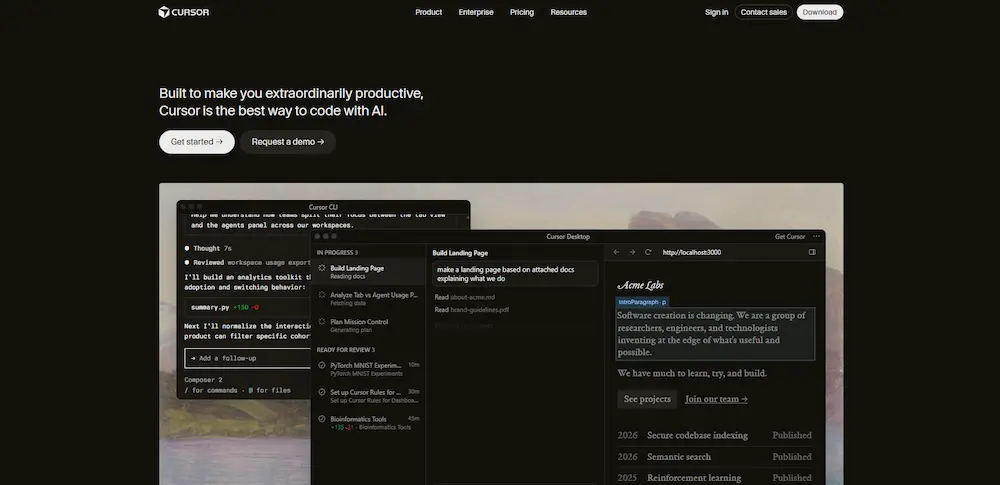
Cursor has been the most talked-about AI coding tool among professional developers for over a year now, and with version 3.0 it just made a significant leap forward.
Built on VS Code, it keeps your existing workflow intact while layering serious AI capabilities on top. What’s always set Cursor apart is codebase-level understanding. When you ask it to build a feature or fix a bug, it reads your entire project for context, not just the file you have open. That still holds true in 3.0.
What’s new is the Agents Window, and it changes how you actually work. You can now run multiple agents in parallel across local environments, cloud, and remote SSH simultaneously. One agent refactoring your authentication module, another writing tests, another fixing frontend CSS, all at the same time. The cloud handoff feature is also genuinely useful: start a task locally, push it to a cloud agent, close your laptop, and it keeps running. That solves a real daily frustration for anyone doing long-running jobs.
Design Mode lets you annotate UI elements directly in the browser and point agents to exactly what you want changed, which tightens the feedback loop considerably on frontend work.
Who it’s for: Developers working on real codebases who want the most capable agent-driven IDE available right now. If you’re building production software and care about control, speed, and depth, Cursor 3.0 is the strongest option in this category.
Who it’s not for: If you can’t read code, Cursor will still confuse you fast. It helps you build software. It doesn’t build it for you.
Pricing: Free tier available. Pro at $20/month. Teams at $40/month. See Cursor’s official pricing for the current credit system.
Windsurf
Windsurf is Cursor’s closest competitor, and in some ways its most interesting challenger, especially after Cognition’s acquisition which signals this tool isn’t going anywhere.
Also built on VS Code, Windsurf’s standout feature is Cascade, its agentic AI system. Where Cursor excels at multi-file context understanding, Windsurf’s Cascade is particularly strong when working on large, complex codebases. It doesn’t just respond to your prompts. It plans, executes, and iterates across your project more autonomously than most IDE-based tools. If you’ve ever had an AI assistant that technically answered your question but broke three other things in the process, Cascade’s approach to chained reasoning feels noticeably more careful.
The other thing Windsurf has going for it is Arena Mode, which lets you run side-by-side model comparisons with different AI models hidden behind an interface so you can actually evaluate which one performs better for your specific use case. For developers who care about optimizing their AI-assisted workflow, that’s genuinely useful.
Who it’s for: Developers working on larger, more complex codebases. Teams who want a bit more autonomous AI behavior during development. Anyone who wants Cursor-level capability at a slightly lower price point.
Pricing: Free tier. Pro at $20/month. Max at $200/month. See Windsurf’s official pricing.
Trae
Trae is the most interesting wildcard in this category and the one that flies under the radar in most comparisons. Built by ByteDance and completely free to use, it’s been quietly gaining serious traction among developers who don’t want to pay $20/month before they’ve even figured out their workflow.
What makes Trae worth paying attention to is the combination of its SOLO mode and its genuinely clean interface. SOLO mode functions as a near-autonomous development agent. You give it a requirement and it handles the full pipeline from planning to code generation to deployment, making architectural decisions along the way rather than waiting for you to specify every step. For high-throughput prototyping, it’s fast in a way that impresses people who’ve only used Cursor or Windsurf.
Trae also supports MCP (Model Context Protocol), which connects it to external tools and APIs, and it integrates Claude 3.5 Sonnet and GPT-4o at no cost. Getting access to those models for free is the kind of thing that makes developers do a double take when they first see the pricing page.
Two honest caveats worth knowing upfront. First, Trae is built by ByteDance, and there are documented telemetry concerns around data being sent to ByteDance endpoints. This makes Trae a risky choice for any project involving sensitive or proprietary code. Second, context retention in longer sessions is weaker compared to Cursor or Windsurf, which can mean more hallucinations on complex, evolving codebases.
The verdict: Trae is an excellent starting point for developers learning AI-assisted coding or for non-sensitive prototyping work where budget matters. It’s not production-safe for confidential projects, and it’s not yet at the reliability level of Cursor or Windsurf for serious long-term codebases. But as a free tool with this feature set, it’s remarkable.
Who it’s for: Developers and learners on a budget. Prototypers who want powerful models without paying for them. Teams working on non-sensitive open-source or personal projects.
Pricing: Lite tier at $3/month. Pro at $10/month. Pro+ at $30/month. Ultra at $100/month.
Quick Verdict on the IDE Category
Start with Trae’s free tier if budget is a constraint or you’re new to AI-assisted coding. If you’re doing serious production work, try both Cursor and Windsurf free tiers and decide based on whether you prefer polish and ecosystem (Cursor) or autonomous agentic behavior at a lower price (Windsurf). Keep Trae away from anything sensitive.
Category B: AI App Builders, For People Who Don’t Code (and Don’t Want To)
Lovable
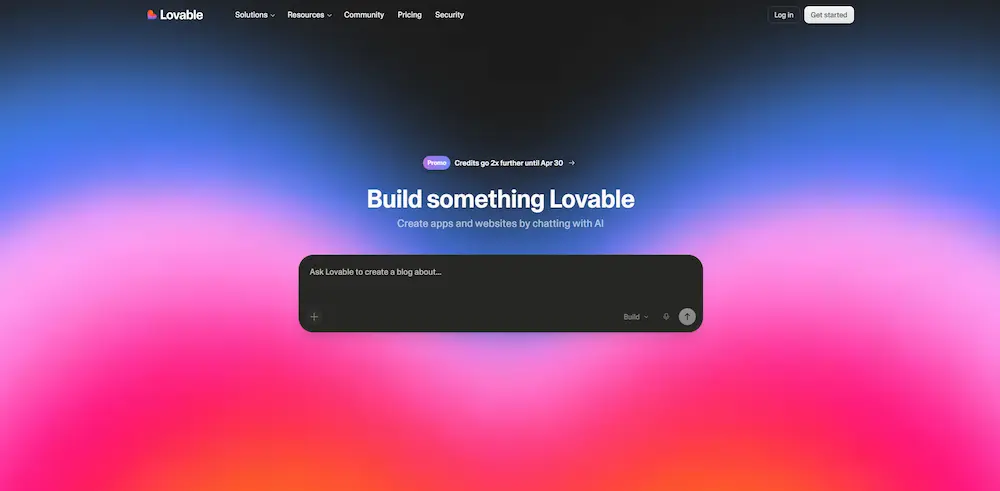
Lovable is the fastest-growing tool in this category. It went from $1M to $100M in annual recurring revenue in just eight months, which Forbes called the fastest ride to that milestone of any software company on record (Forbes). That’s worth paying attention to, not because growth equals quality, but because it tells you that a lot of non-technical people are successfully shipping things with it.
The core experience: you describe your app in plain English, Lovable generates a polished React frontend connected to a real Supabase backend, and you keep iterating through conversation. The visual editing mode lets you click directly on elements to modify them without writing prompts. GitHub two-way sync means that if you ever want to hand the project off to a developer or graduate it to something like Cursor later, you actually can.
What makes Lovable stand out for non-developers specifically is that it handles the backend complexity that tends to stop people cold: authentication, database structure, real data persistence. You’re not getting a pretty mockup. You’re getting something that actually works.
Important to know though: Lovable primarily operates in a React plus Supabase stack. The backend is real and functional, but you’re working within Lovable’s chosen architecture. If you need something outside that stack, or if you want to completely own and deploy your infrastructure independently, you’ll hit some walls.
A few other honest caveats. Code quality degrades as your project gets more complex and prompt-heavy. And security research from Cybernews found that 170 of 1,645 sampled Lovable-built apps exposed personal data to anyone who found the URL, with roughly 70% shipping with row-level security disabled by default (Cybernews). If you’re handling any real user data, check your database permissions before you launch, don’t assume the defaults are safe.
Who it’s for: Non-technical founders validating startup ideas. Marketers and operators who need internal tools. Anyone who wants to launch an MVP fast without writing a single line of code.
Pricing: Free tier. Pro at $25/month. Business at $50/month. See Lovable’s official pricing.
Bolt
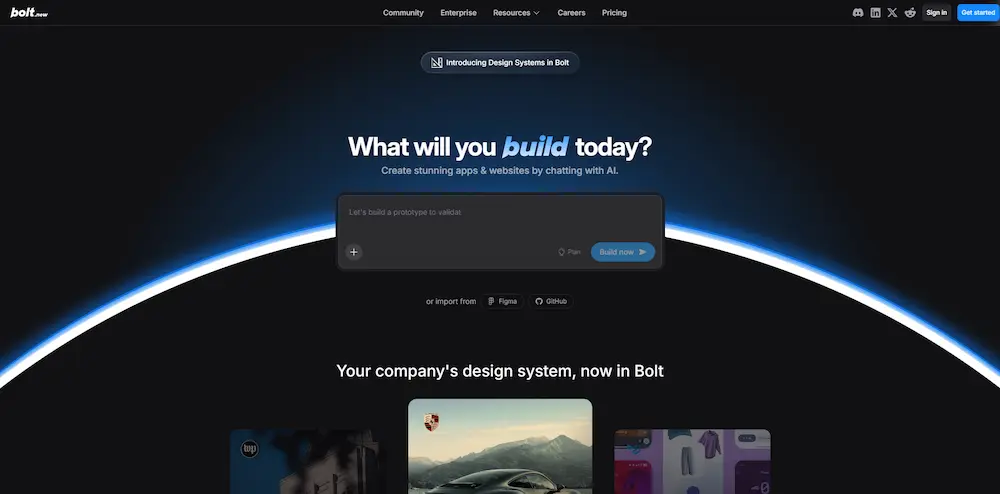
Bolt is the speed champion of this category. If Lovable optimizes for polish and depth, Bolt optimizes for how fast you can get from a prompt to something running in a browser.
Built on StackBlitz’s WebContainers technology, Bolt compiles and runs your entire application directly in the browser. Zero local installation, no Docker, no terminal. You describe what you want, the AI generates full-stack code, and a live preview appears in the same tab. That flow is genuinely fast in a way that’s hard to overstate until you’ve experienced it.
Like Lovable, Bolt is primarily focused on frontend generation, with backend capabilities that are more limited compared to a genuinely full-stack builder. It handles simple backends well, but if your project involves complex server-side logic, multiple user roles, or sophisticated database architecture, you’ll feel that ceiling relatively quickly.
Bolt has grown beyond pure prototyping since Bolt Cloud launched in mid-2025. Real hosting, custom domains, and database support are now part of the package. It also supports more frameworks than Lovable: Vue, Svelte, and others alongside React, which matters if you have specific stack preferences.
The pricing has a downside worth flagging upfront. The token-based billing model means costs can escalate unexpectedly during debugging-heavy sessions. Some users have reported burning through significant credits chasing AI-generated bugs in a loop. If you’re going to use Bolt seriously, pay attention to your usage patterns early.
Who it’s for: People who need to prototype fast. Founders testing whether an idea is worth pursuing before committing to a full build. Developers who want a browser-based sandbox for quick experiments.
Pricing: Free tier. Pro at $25/month. Teams at $30/month per member. See Bolt’s official pricing.
Emergent
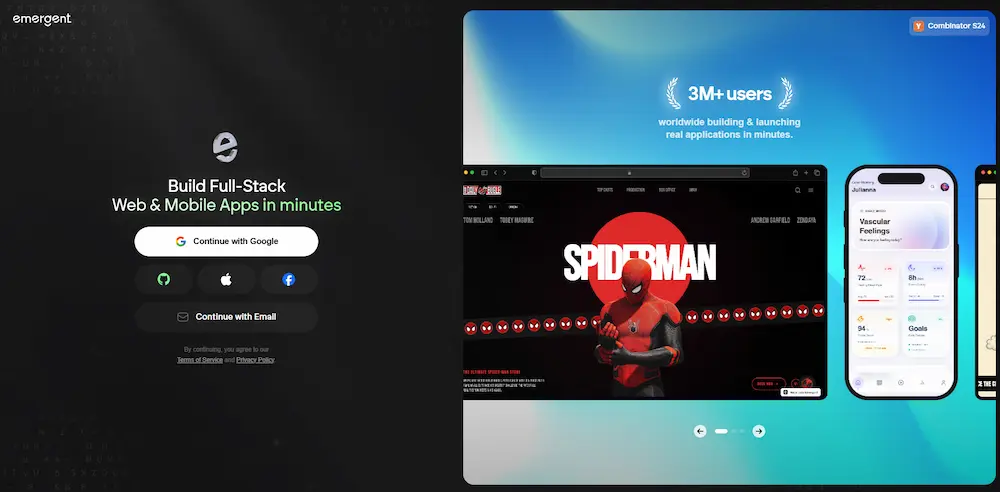
This is where the vibe coding conversation gets genuinely interesting, and where most comparison posts either skip Emergent entirely or don’t explain what makes it different.
Lovable and Bolt are primarily frontend-focused builders. They do a good job of generating the interface of your application and connecting it to relatively straightforward backends. Emergent operates at a different level entirely. It’s a genuine full-stack builder that uses a multi-agent framework to handle every layer of your application: the frontend, backend, database, authentication, file storage, payment integrations, and deployment. Multiple specialized AI agents coordinate simultaneously across different parts of your software lifecycle, similar to how an actual development team divides responsibilities.
In practice, what this means is that you can describe something significantly more complex to Emergent and get a production-ready result. The review that captures this well is someone who asked Emergent to build an appointment booking system with user roles for admins, providers, and customers, Google Calendar integration, Stripe payments, and email notifications. Emergent built it. That’s not a prototype. That’s a real product.
The tech stack Emergent generates is modern and developer-friendly: React or Next.js frontend, Node.js or FastAPI backend, and MongoDB for the database. You own the code, you can export it to GitHub, and you can continue building on top of it with any other tools including Cursor or Windsurf if you want to refine it further.
The honest limitations: the free tier gives you only 10 credits per month, which isn’t enough to build anything meaningful. You’ll need a paid plan to really use it. Active deployments also consume credits on an ongoing basis, which is worth understanding before you commit. And while the backend depth is impressive, the visual design control is more limited than Lovable. Emergent treats UI as a functional output of the build process rather than a design-first surface, so if you care deeply about pixel-perfect aesthetics, you may find yourself frustrated.
Who it’s for: Technical founders who need real, production-grade applications and not just polished demos. Teams building internal tools with complex logic, multiple user roles, or third-party integrations. Anyone whose project requires genuine backend depth that Lovable or Bolt can’t cover.
Pricing: Free tier (10 credits/month). Standard at $20/month (100 credits). Pro at $200/month (750 credits, premium integrations, 1M token context window). See Emergent’s official pricing.
Quick Verdict on the App Builder Category
Think of these three tools as sitting on a spectrum from speed to depth. Bolt is fastest and lightest. Lovable sits in the middle with great polish and a solid React plus Supabase stack. Emergent is the most powerful and the most genuinely full-stack, but it requires more investment in both learning and credits.
A workflow that a lot of people are quietly running: prototype the idea in Bolt to see if it’s worth building, then build it properly in Lovable or Emergent depending on whether you need simple frontend functionality (Lovable) or a complete backend architecture (Emergent).
What’s the Real Difference Between Frontend Builders and Full-Stack Builders?
Lovable and Bolt generate the frontend, the interface, the components, the user experience, plus a constrained backend (Supabase for Lovable, a lighter setup for Bolt). Emergent generates the complete stack from the ground up: backend logic, database schema, API structure, authentication, and deployment configuration. That’s the whole distinction, and it decides which tool you actually need.
If your app idea is relatively straightforward, say a landing page with a form, a portfolio tool, or a simple dashboard, Lovable or Bolt will get you there faster and more cheaply. If your app idea involves complex data relationships, multiple user types, third-party integrations, or anything you’d genuinely want to put in front of paying customers at scale, Emergent is worth the extra investment.
The Automation Layer: Where This All Connects
If you’ve read our guide on agentic workflows in 2026, you already know that the real power isn’t in any single tool. It’s in what you connect together.
Here’s something that often gets missed in AI coding tool comparisons: tools like Lovable, Bolt, and Emergent generate applications, but those applications become exponentially more powerful when you wire them into an automation layer using something like n8n, Make, or Zapier.
Think about it practically. You build a client portal in Lovable. You connect it to n8n. Now when a client submits a form, n8n automatically logs the response to Airtable, sends a formatted summary to Slack, creates a task in Notion, and triggers a follow-up email, all without you touching anything. The app builder creates the interface. The automation layer creates the intelligence behind it.
This is the workflow that smart solo founders and small teams are running right now. It’s genuinely within reach without an engineering background. If you need a starting point for the automation side, our small business software guide covers n8n, Make, and Zapier in practical detail.
Pick Your Profile
You’re a developer or learning to code: Start with Trae for free and get your bearings. When you’re ready to invest, try Cursor and Windsurf free tiers and pick based on project complexity.
You’re a non-technical founder with a straightforward app idea: Go to Lovable. Spend one afternoon building a rough version of your MVP and see if the idea has legs before committing money or time to anything else.
You need something fast for a meeting, pitch, or demo: Bolt. You’ll have something running in 20 minutes that looks real enough to put in front of someone.
Your app idea involves real backend complexity (user roles, payments, complex data): Emergent. Don’t waste time trying to stretch Lovable or Bolt into something they weren’t designed for.
You’re a small business owner who needs internal tools: Lovable or Emergent depending on complexity, then connect whatever you build to n8n or Make. This combination replaces expensive custom development for most operational use cases.
You’re privacy-conscious and working with sensitive code: Cursor or Windsurf only. Keep Trae out of that environment entirely.
A Few Important Things Worth Saying Plainly
These tools are genuinely impressive. The gap between what you could build in 2022 versus today with no coding background is almost absurd. Real, functional applications in hours instead of months.
But the marketing around them tends to hide a few things.
The technical cliff is real. Most tools generate solid initial scaffolding. As complexity grows, more components, more logic, more edge cases, quality degrades and costs in time, tokens, or money increase. Plan for iteration, not perfection on the first prompt.
“Full-stack” doesn’t mean the same thing across all these tools. Lovable and Bolt both describe themselves as full-stack in their marketing. Technically they’re not wrong, but there’s a significant gap between the backend depth of those tools and something like Emergent. Read the fine print before you commit to a tool for something that needs real server-side logic.
You still need to understand what you’re building. Not at the code level necessarily, but at the product level. AI generates what you describe. If your description is vague, your product will be vague. The quality of your thinking still matters, probably more than which tool you pick.
The Bottom Line
The AI coding tool landscape in 2026 is not confusing because the tools are bad. It’s confusing because they’re solving genuinely different problems and the marketing doesn’t always make that clear.
If you code: Cursor, Windsurf, or Trae. Choose based on project sensitivity and budget.
If you don’t code and need a quick, polished MVP: Lovable or Bolt depending on whether you prioritize depth or speed.
If you don’t code and need something production-grade with real backend complexity: Emergent, and plan for the credit investment that comes with it.
And if you’re building anything for a small business or solo operation, connect whatever you build to an automation layer. That’s where the real leverage is.
This guide focuses specifically on IDEs versus app builders, six tools total. If you’re weighing the full 2026 landscape, including agent-first tools like Claude Code and GitHub Copilot that don’t fit neatly into either category above, our Best AI Coding Tools & IDEs buying guide covers the complete picture.
The tools are good. Use the right one.